Campaigns
A campaign sends a sequence of messages to a group of patients. You choose who receives it (a saved segment), when it runs (on a schedule, once, or when something happens in the platform), and what it sends (email and SMS steps, with optional waits between them).
Campaigns are built in the same visual builder as Automations. A campaign is an automation whose audience is a segment or a report.
Where to find it
Everything for outreach lives under Outreach in the admin menu:
| Menu item | What it's for |
|---|---|
| Campaigns | Create, edit, and monitor campaigns |
| Segments | Build the patient audiences that campaigns send to |
| Outreach Identities | Verify the email addresses and domains you send from |
Message templates live under Settings → Templates.
Right now, campaigns are built and managed by the CareLaunch team on your organization's behalf. The Campaigns page is only available to CareLaunch platform administrators. Message templates are also managed by CareLaunch. Organization admins can build Segments and manage Outreach Identities. To set up or change a campaign or template, contact your CareLaunch representative.
How a campaign works
- Trigger. The campaign starts on a recurring schedule, at a set date and time, by hand, or when a record is created, updated, or deleted.
- Audience. Each time it runs, the campaign re-evaluates its segment, so patients who newly match are picked up and patients who no longer match are skipped.
- Steps. Each patient moves through the steps in order: send an email, send an SMS, wait, and so on.
- Eligibility checks. A patient's eligibility is checked again at the start of each run and after every Wait step. A patient who has left the segment by then receives nothing further.
See Building a Campaign for the details of each part.
Which contact details are used
- Email goes to the patient's highest-priority email address (see ranking below). If the patient has no email address, it can go to a linked contact person's email instead.
- SMS goes to the patient's highest-priority phone number (see ranking below). Patients don't need an email address on file to receive texts. A patient with no eligible phone number is skipped for that step, and the Logs show "SMS skipped — no eligible phone number on file."
Patients who have opted out of email are skipped for email steps.
Contact point ranking
Each email address or phone number on a patient record (a "contact point") can have a rank from 1 to 99, where 1 is the most preferred.
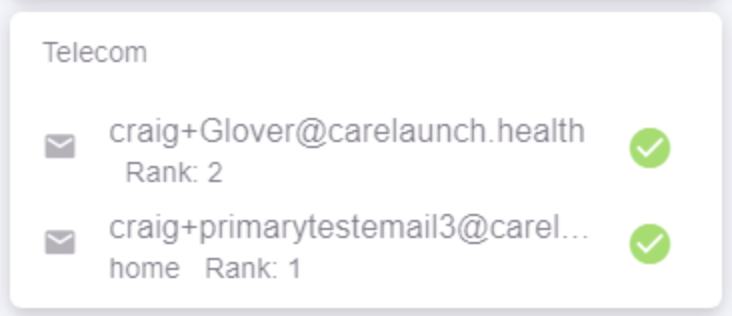
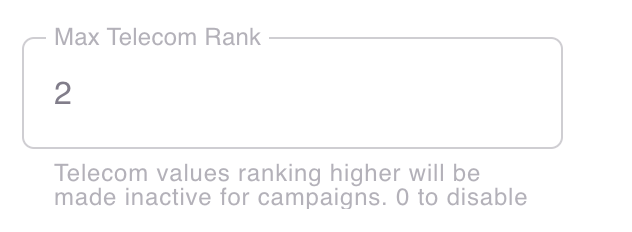
The Max Telecom Rank organization setting limits which email addresses and phone numbers campaigns can use. Only contact points ranked at or below that number are considered, and contact points with no rank are always eligible. For example, with Max Telecom Rank = 2, a patient's primary email or mobile number (rank 1) is used and an old address or number (rank 3) is never used.
Appointment reminders are separate
Appointment reminders are a built-in feature with their own settings. You don't need to build a campaign for them. See Reminders.